
Catherine L.
Jul 9, 2026
•17 minutes
Home Office Desk Guide: Surface, Size, and Setup
A home office desk guide that goes past finish and width: desk shapes, depth, materials, storage, standing height, and the surface layer that decides comfort.

Backrooms desk mat
Most home office desk guides read like furniture catalogs. They rank desks by width, laminate finish, and whether the legs are powder-coated. That misses the part you actually touch for eight hours a day. A home office desk is a platform, and how you configure the surface on top of it decides whether typing all day feels good or leaves your wrists aching.
Here is my confession up front: I sell desk mats and keyboards for a living, not desks, so I come at this from an angle that furniture retailers never mention. Honestly, the desk is the easy part. The stuff that decides whether you actually enjoy sitting there all day is the surface: the mat, where the keyboard sits, how far the monitor lands from your eyes, and how the whole stack interacts with your switches.
So that is where I want to spend most of our time. But I promise not to leave you hanging on the desk itself either, because shape, materials, storage, and standing height all matter, and I will get to every one of them. This guide covers desk size and depth, shapes and configurations, hard versus soft surfaces, the acoustic and ergonomic role of a 4 mm cloth mat, and how a 900x400mm desk mat maps to real keyboard and mouse real estate.
What Makes a Home Office Desk Actually Work (It's Not Just the Desk)
Try this thought experiment with me. Pick two desks with identical dimensions, one from a big-box store and one from a design brand at triple the price. Put the same keyboard, mouse, and monitor on both, configured the same way, and your hands will not be able to tell them apart. The brand on the frame does very little once your gear is on top. Weird, right? But it is true.

Bloom Desk Mat on Desk
What you feel all day is the surface layer. A bare laminate top reflects switch sound straight back up at you and gives your wrists a hard edge to rest against. A rubber-backed cloth mat over that same top changes the sound, softens the contact, and keeps your mouse tracking cleanly. That is the difference that matters, and it costs a fraction of the desk.
So let me nudge the question a little. Instead of "which desk should I buy," I would rather you ask "how do I configure a desk that performs." That covers size, shape, and depth first, then the surface material and how it plays with your switches, then the mat that ties it all together.
Choosing the Right Desk Size for Your Layout
Desk size for working from home comes down to two numbers: depth (front to back) and width (side to side). Depth governs your posture. Width governs how much of your keyboard and mouse can live comfortably in front of you.
Minimum depth for a comfortable typing position
Give yourself enough depth for a comfortable typing position. Go too shallow and one of two bad things happens. Either you push the monitor back until it is almost touching the wall and still too close to your eyes, or you slide the keyboard to the front lip, which forces your wrists to bend up over the edge. Standard desks run 600 mm to 800 mm front to back, and that range exists for a reason: it fits a monitor at a sane distance and still leaves room for a keyboard, a mat, and your forearms.
Width versus keyboard form factor
Width is where your keyboard layout starts to matter. A 60 percent board is the most compact common layout, a tenkeyless (TKL) drops the numpad but keeps the arrows and function row, and a full-size adds the numpad and is the widest of the three. On a 900 mm wide desk mat, a 60 percent leaves you a huge swath of mousing room to the right, while a full-size eats most of the mat and crowds your mouse hand.
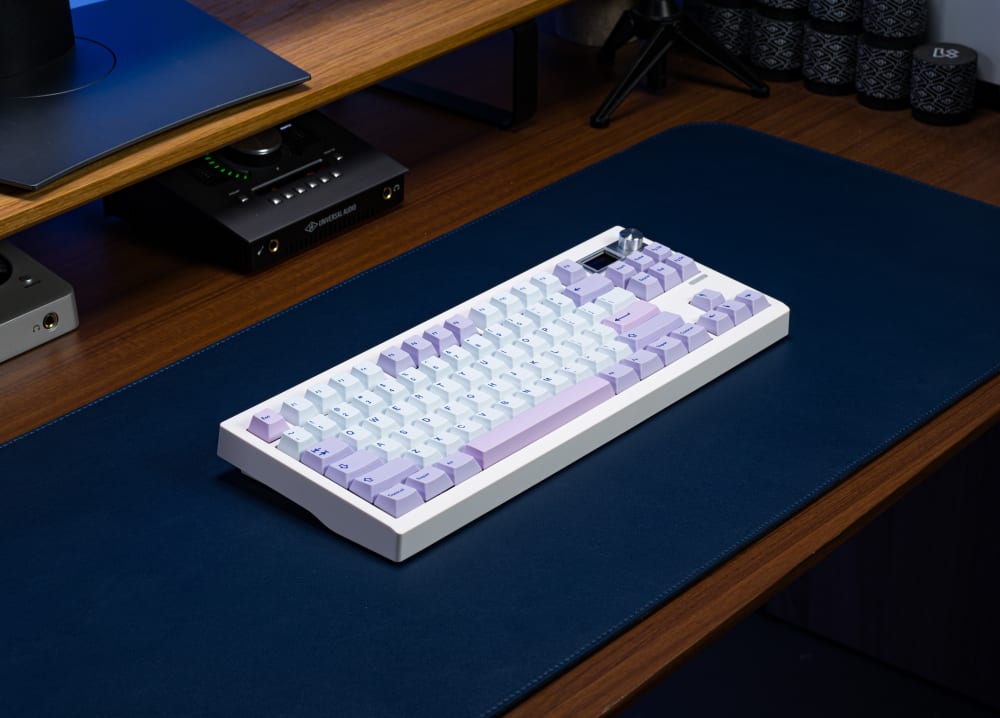
GMK87 Keyboard with Hippo PBT
If you use a mouse a lot and you have the desk space, a smaller board buys you room without buying a bigger desk. That is the cheapest ergonomics upgrade nobody talks about.
How depth affects monitor distance and neck angle
The monitor wants to sit at arm's length, roughly 50 to 70 cm from your eyes, with the top of the screen near eye level. a computer monitor should sit at roughly arm's length from the eyes A shallow desk fights that. If the surface is only 45 cm deep, you physically cannot get the screen far enough away without a monitor arm that reaches back off the edge. Depth is what buys you a healthy monitor distance, so give it priority when you shop.
Desk Shapes and Configurations
Width and depth are the headline numbers, but the shape of the desk decides how you actually flow around the room. A few configurations worth knowing:
- Rectangular: the default, and honestly the one I would pick for most single-monitor setups. Simple, easy to place a mat on, nothing fights you.
- L-shaped: a main run plus a return leg. Great if you want a second zone, one side for the keyboard, the other for paperwork or a laptop, without one thing crowding the other.
- Corner: tucks into the angle of a room and pulls the monitor closer to eye center, which is nice if space is tight and you do not need a wide sweep.
- Bridge: two supports with a span between them, often two smaller desks joined by a shared surface. Handy for a dual-workstation or a couple sharing a room.
- Island: a freestanding desk you can walk all the way around, so it does not lean on a wall. Beautiful, but it eats floor space, so it is really a bigger-room luxury.
Whatever the shape, the surface rules do not change. A 400 mm mat depth and a keyboard at arm's length matter just as much on an L-shaped desk as on a plain rectangle.
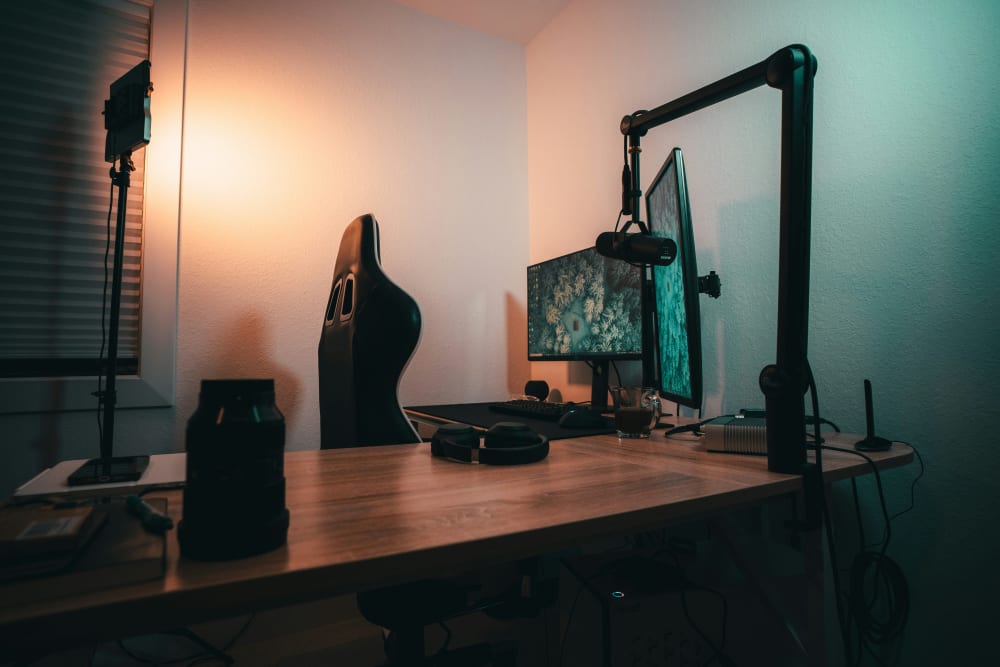
L Shaped Desk
Standing desk versus fixed height
A standing desk changes one thing that people forget: rigidity. Raised to full height, many sit-stand frames develop a little wobble, and on a hard top that wobble can amplify the rattle of your keyboard as you type. A cloth mat under the board takes some of that edge off, which is a decent reason to run one on a standing desk even if you would skip it on a rock-solid fixed-height slab.
Lift top and adjustable desks
Beyond the classic electric sit-stand, there are a couple of other adjustable styles worth a look. A lift-top desk raises just a portion of the surface toward you, which is a nice halfway house if a full standing frame feels like overkill or your budget is tight. Crank-adjustable frames swap the motor for a hand crank, cheaper, no cable to route, but you will not change height on a whim. Whichever you pick, the same advice holds: the moment you can raise it, add a mat, because the wobble that comes with height is exactly when a hard top starts singing back at you.
Desk Materials and Styles
Since I am the mat person, you would expect me to say the material barely matters, but it does shape the two things I care about most: acoustics and how the front edge treats your wrists.
- Solid wood: warm and heavy, and heavy is good because mass kills wobble. It does have a hard front edge, so a mat earns its keep here.
- Laminate / MDF: the budget default. Perfectly fine, but a bare laminate top is one of the pingiest surfaces under a keyboard, so this is where a mat changes the sound the most.
- Glass: looks gorgeous, sounds terrible under switches, and can confuse a mouse sensor. Mat mandatory, in my opinion.
- Bamboo: lighter than solid hardwood but still firm, and it has become a popular sustainable pick.
On style, match it to the room you actually live in: a warm oak-toned setup versus an all-black minimalist one will pull your accessory choices in different directions. If you want the vibe worked all the way through, our cute desk setup ideas post and our monochrome desk setup guide both show how the surface ties a look together.
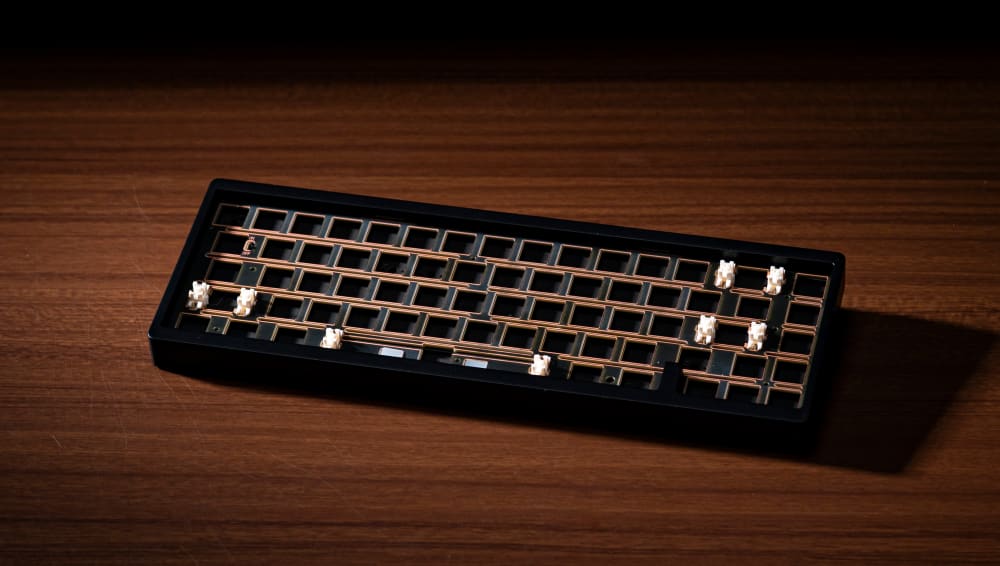
Nut65 Keyboard on Wooden Desk
Hard Desk Surface vs. Soft Surface: How It Changes Your Typing Feel
This is the part no furniture page will tell you. The surface under your keyboard is part of the instrument. A linear switch with a 45g actuation feels and sounds different on bare glass than it does on a 4 mm cloth mat, and the reason is physical, not marketing.
The acoustic side
A hard top, glass, laminate, or solid wood, reflects sound. Your keyboard case couples to that surface and the desk acts like a soundboard, throwing switch noise back up at you and adding a hollow, pingy quality to the bottom-out. Put a rubber-backed cloth mat under the same board and you absorb some of that desk-transmitted resonance. The ping quiets down and the bottom-out reads a little deeper and more solid. I covered the mechanics of this in more depth in our desk mat guide for mechanical keyboards, and it holds for basically any switch.
Plate material changes how much the mat matters
An aluminum plate is stiff and rings, so it has the most to gain from a mat on a hard desk: the mat kills resonance the plate would otherwise send into the surface. A polycarbonate plate is softer, flexes more, and is already fairly damped, so a mat changes its sound less because there is less ring left to quiet. You still get the ergonomic and tactile benefit either way, just a smaller acoustic shift on the already-soft build.
Wrist fatigue over an eight-hour day
The front edge of a wooden desk is a hard line under your wrists. For a few minutes it is fine. Over a full work-from-home day, that edge becomes a pressure point. A 4 mm cloth surface will not replace a proper wrist rest, but it takes the sharpness off the contact zone and spreads the load a little, which adds up across a week of full days.
Mouse tracking
Optical and laser sensors want a consistent, textured surface. Bare glass and high-gloss laminate can confuse a sensor or force you onto a separate pad. A cloth desk mat gives every mouse a uniform surface to read, so your keyboard and mouse share one continuous work area instead of two mismatched zones.

Mouse and Mouse Pad on Desk
Storage, Modular Systems, and Small-Space Tricks
Not everyone has a spare room to sprawl into, so let me talk about the desks that solve for space and clutter.
Storage features: drawers, shelves, and cabinets
A desk with built-in storage keeps the surface clear, and a clear surface is a happier surface for typing. Drawers are the classic pick: a shallow top drawer for pens and cables, a deeper one for a laptop or a keyboard you rotate out. Open shelves above or beside the desk pull the clutter off the main run without you having to open anything. A small cabinet or pedestal hides the stuff you would rather not look at all day. My only warning: do not let a stack of drawers steal the depth your knees need, and do not let a hutch push your monitor so close it undoes your arm's-length distance.
Modular desk systems
Modular desks let you start small and bolt on pieces later: a return, a shelf tower, a second surface. I like these for a home office because your needs change, and a system that grows beats buying a whole new desk when you add a second monitor or move rooms. Just check the surface stays continuous where your hands live, because a seam right under your mouse is annoying.
Space-saving desk solutions
Tight on room? A wall-mounted fold-down desk disappears when you are done. A ladder or leaning desk uses vertical space with shelves stacked above a narrow work surface. A compact writing desk plus a 60 percent keyboard is a genuinely comfortable combo, since the smaller board frees the width a shallow desk cannot give you. This is the trick I mentioned earlier, the small keyboard doing the work a bigger desk would otherwise have to.
USB Charging and Modern Features
A lot of newer desks build in the conveniences you would otherwise clip on: a USB charging hub or grommet on the surface, integrated cable trays under the top, and a wireless charging pad baked into a corner so your phone tops up without another cable on the desk. These are genuinely nice, but do not pay a big premium for them, because a cheap powered USB hub and a stick-on cable tray get you 90 percent of the way at a fraction of the cost. Keep the charging clutter off the front of the surface where your hands work, and let the back strip behind your mat carry the cables.
Desk Mats: The Single Biggest Upgrade for Any Home Office Desk
I love desk mats. I might have a tiny problem with collecting them, honestly. But bias aside, for the money nothing changes a home office desk more than a good mat. Here is how the numbers actually work out on a desk.

Jeju Desk Mat with Jeju Keyboard
Why 900 x 400 mm is the standard large size
All of our full-size desk mats are 900 x 400 x 4 mm. That 900 mm width is the sweet spot for a keyboard-plus-mouse setup. A TKL board sits on the left, a medium mouse-pad-sized area opens up on the right, and there is still room for a wrist rest in front. A 60 percent leaves even more mousing space. A full-size fills most of the width, so if you run a numpad and a wide mouse sweep, you are the person who most wants the full 900 mm rather than a smaller mat.
The 400 mm depth is generous without eating your desk. On a 600 mm to 800 mm deep desk it leaves room behind the mat for a monitor stand, speakers, or a cable pass-through.
4 mm thickness and keyboard tilt
Every one of our mats is 4 mm thick. That lifts the base of your keyboard slightly, which nudges the effective typing angle. If you type flat at a zero-degree angle, this is worth knowing, because it is a small but real change to how your wrists meet the board. For most people it is a non-issue or a mild improvement; for a flat-angle typist it is something to feel out.
Stitched edges versus unfinished
Cheap mats with heat-sealed or raw edges start to fray within months once daily mouse friction works at them. Every Kinetic Labs mat uses stitched edges, so the perimeter holds up to years of a mouse dragging across it. On a surface you use every single workday, that stitching is the difference between a mat that lasts and one you replace.
Rubber backing and grip
The bottom of each mat is rubber, which stops it from creeping across the desk while you type and mouse. That matters most on smooth laminate and glass, where an ungripped mat wanders. (One note: our rubber backing is not for you if you have a latex allergy.)
Waterproof cloth for spill-prone desks
If coffee lives on your desk, the top material is worth thinking about. Standard cloth prints beautifully and feels great, but a spill soaks in. The Apex Desk Mat uses a waterproof cloth top, so a knocked-over mug beads up instead of wicking into the fabric. For anyone who works with a full cup within arm's reach all day, that is the safer pick.

Water-proof Backrooms Desk Mat
Desk Mat Picks for Your Home Office Setup
A short, honest rundown rather than a ranked list. Each one is 900 x 400 x 4 mm with stitched edges and a rubber bottom; the difference is the top material and the design. Browse the full desk mat collection if none of these fit your desk.
Best for heavy mouse users: The textured top gives the mouse a bit more feedback, which is what you want if you push the cursor around all day. It comes out of our Agile line.
Best for spill-prone desks: If you keep a drink on the desk, the waterproof top is the reason to choose it over a standard cloth mat.
Best budget pick: Both are the same full 900 x 400 mm footprint with the same stitched edges and rubber backing as the pricier mats. You are only trading design, not build quality.
Best for a softer, nature-leaning desk: A calmer print for a setup that leans warm and organic rather than gamer-loud. If you want something with a bit more personality, the Cactus Desk Mat and the Sunny Day Desk Mat scratch that same friendly itch.

Sunny Day Desk Mat
Desk Accessories and Complementary Furniture
A desk is really the anchor for a little ecosystem, so a few pieces earn their place around it:
- An ergonomic chair. No mat on earth saves you from a bad chair, so this is the one I would not skimp on.
- A monitor arm. Frees up depth by lifting the screen off its stand and letting it reach back, which is gold on a shallow desk.
- A wrist rest. Pairs with the mat rather than replacing it, for the softest possible contact zone.
- A cable tray and under-desk hooks. Get the cables off the surface and out of your sightline.
- A small footrest or filing cabinet. Rounds out the posture and the storage.
If you want a playful surface to tie the accessories together, something like the Froggy Office Desk Mat or the Sierra Sunrise Desk Mat gives the whole workspace a mood without shouting.
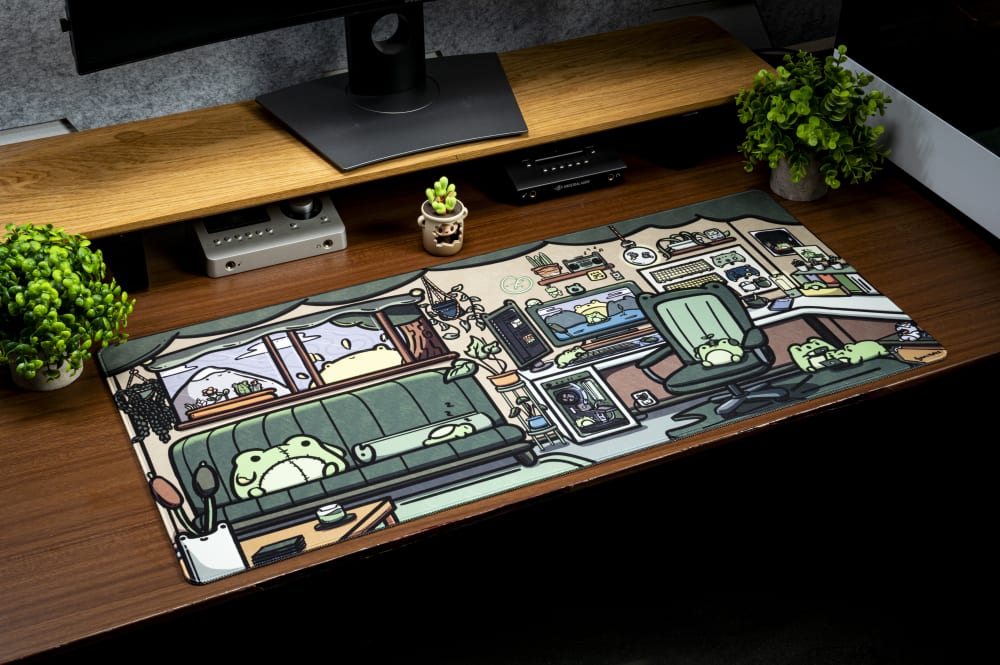
Froggy Desk Mat
Reviews and Customer Ratings: How to Read Them
When you are shopping, the reviews are where the truth hides, but read them the right way. Skim the middling three-star reviews first, not the glowing five-star ones, because that is where honest tradeoffs live. On desks specifically, look for anyone mentioning wobble at standing height, assembly headaches, or a surface that scratches easily, since those are the complaints that repeat. On mats, watch for edges fraying, which tells you the stitching was skipped. And weigh a review with photos over one without, every time. A hundred ratings with a handful of thoughtful, detailed ones beats a thousand one-line "love it" blurbs.
Ergonomics and Posture: Setting Up the Desk Surface Correctly
The best desk for a home office is not a specific product, it is a configuration. Two people can own the same slab and one has a neutral, comfortable setup while the other is hunched and sore, and the difference is entirely in how the surface is arranged.
Keyboard height and the 90 to 100 degree rule
Set your desk (or chair) height so your elbows sit at roughly 90 to 100 degrees with your forearms parallel to the floor when your hands are on the keyboard. a neutral seated typing posture keeps the elbows at about 90 to 100 degrees If your shoulders creep up or your wrists bend to reach the keys, the height is wrong, and no mat fixes a height problem. A 4 mm mat adds negligible height to that equation while meaningfully softening the wrist contact zone, so it works with the ergonomics rather than against them.
Monitor distance from the desk edge
Think about monitor distance from the front edge of the desk, not just from your face. Your keyboard and forearms need to occupy the front portion of the surface, which pushes the monitor back. On a shallow desk you run out of room and the screen ends up too close. This is the practical reason depth matters more than any finish or brand: a deep enough desk lets the monitor land at that 50 to 70 cm arm's-length distance while your hands stay neutral up front.
Where the mat fits in the stack
The ergonomic stack, from the desk up, is: desk height sets your elbow angle, the mat softens the wrist contact and settles the keyboard acoustically, and the keyboard's own tilt sets your wrist extension. Get the desk height right first. Then the mat is the layer that makes the surface pleasant to actually work on.

Nut65 Keyboard with Apex Desk Mat
Home Office Desk Setup: Bringing It All Together
A working home office desk setup is not complicated once you stop shopping by finish color. Here is how I would walk through it.
- Pick a desk deep enough to seat the monitor at arm's length, in whatever shape and width fits your room and your layout.
- Cover the work zone with a 900 x 400 mm mat.
- Position the keyboard so your wrists stay neutral and your elbows land at 90 to 100 degrees.
- Run cables behind or under the desk so they are off your work surface.
The minimum viable version is a desk, a mat, and a mechanical keyboard. That is genuinely enough to type comfortably all day. From there you upgrade over time: a monitor arm to free depth, a wrist rest, better switches, a coiled cable that keeps your desk tidy.
On cable management and real estate, the 400 mm mat depth already leaves a strip of desk behind it for a pass-through or a cable tray, so you can keep the front of the surface clear for your hands and the back for everything that plugs in.
The desk brand matters far less than any of this. Configure the surface well and a modest slab outperforms an expensive one that has been set up wrong. Et voilà, a home office you actually want to sit at.
Frequently asked questions
What is the best desk for a home office?
The best home office desk is one deep enough to seat the monitor at arm's length, set to a height that keeps your elbows at 90 to 100 degrees while typing, with the work zone covered by a cloth desk mat. Depth and configuration matter far more than the brand or finish, because they determine your monitor distance and wrist angle. A modest desk set up correctly beats an expensive one set up wrong.
What is the best size desk for working from home?
For working from home, a desk deep enough to seat the monitor at arm's length and wide enough for a monitor, a keyboard, and a mouse handles a single-screen setup comfortably. Depth is the number that matters most, since it lets the monitor sit at arm's length while your keyboard and forearms occupy the front of the surface. If you run a full-size keyboard with a numpad, favor more width so your mouse hand is not crowded.
Do I really need a desk mat for a home office desk?
A desk mat is the single cheapest upgrade that changes how a home office desk feels to use. A 4 mm cloth mat softens the wrist contact zone, quiets switch resonance from a hard desk top, and gives your mouse a consistent surface to track on. It will not fix a wrong desk height, but on top of a correct setup it makes the surface noticeably better to work on all day.
What size desk mat fits a home office keyboard and mouse?
A 900 x 400 mm desk mat fits a keyboard and mouse with room to spare for most layouts. A TKL keyboard or a 60 percent leaves generous mousing space to the right, while a full-size board with a numpad uses most of the width, which is exactly why numpad users benefit most from the full 900 mm.
Does the desk surface affect how a mechanical keyboard sounds?
Yes, the desk surface changes how a mechanical keyboard sounds. A hard top like glass or laminate reflects switch noise back up and adds a hollow, pingy quality, while a rubber-backed cloth mat absorbs some of that resonance so the bottom-out reads deeper. Aluminum-plate boards gain the most from a mat, since a softer polycarbonate plate is already fairly damped.